Prompt Templates with Variables: The 5 Types Explained
A static prompt answers one question. A templated prompt answers a hundred. The trick is variables: placeholders you fill in at send time instead of rewriting the prompt itself.
What is a prompt template with variables?
It's a prompt where the parts that change are marked as fill-in slots. Compare:
Before: Write a friendly email to Sarah about moving the deadline to Friday.
After: Write a
{{Tone}}email to{{Recipient}}about{{Topic}}.
The first prompt worked exactly once. The second one works every time you write an email: same structure, new inputs. Most people first meet this idea as square brackets ("[TOPIC]") they overwrite by hand; a real template system replaces hand-editing with a form.
Which placeholder syntax should you use?
You'll see three conventions in the wild: [square brackets], <angle brackets> and {{double curly braces}}. They all mark a slot. The difference is what your tools do with them. Brackets are just text you have to find and overwrite manually. {{Curly braces}} are the convention that template systems actually parse, which turns a marked-up prompt into a fillable form. That's the syntax used below.
The type of each variable matters more than the syntax.
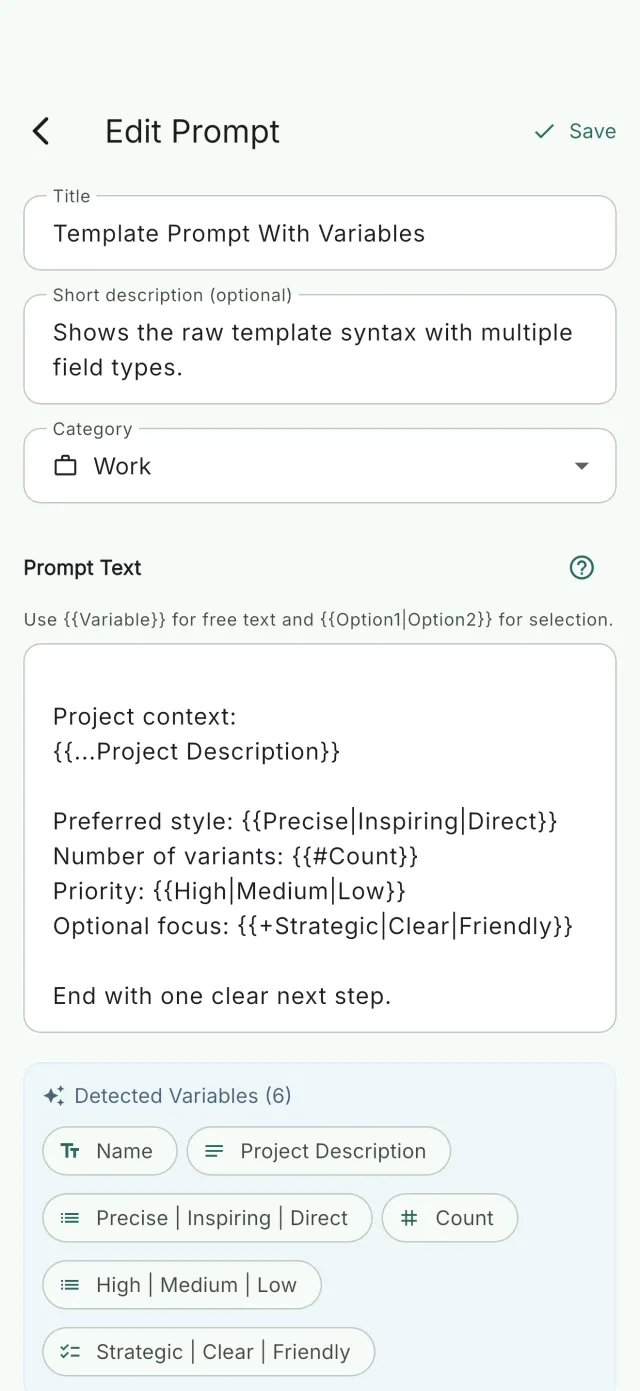
1. Free text — {{Recipient}}
The everyday workhorse. Use it for names, topics, short phrases:
Explain
{{Concept}}to a{{Audience}}in three sentences.
2. Multi-line text — {{...Context}}
When the input is a paragraph (background, a snippet of an article, meeting notes), give yourself room to type:
Summarize the following notes as five bullet points:
{{...Meeting notes}}
3. Number — {{#Count}}
For quantities and limits: "Give me {{#Count}} ideas." Keeps the model from guessing how many you want, and keeps you from getting twenty when you needed three.
4. Single select — {{formal|casual|neutral}}
When there's a fixed set of valid choices, a dropdown beats free text. No typos, and no "forma" instead of "formal":
Rewrite this paragraph in a
{{formal|casual|neutral}}tone.
5. Multi select — {{+Python|Java|TypeScript}}
Pick several at once. Perfect for checklists of aspects to cover:
Review this code for
{{+performance|readability|security}}issues.
A full example: one template, three jobs
Here's a single review template that uses all five types:
Act as a
{{strict|encouraging}}reviewer. Review the following{{Language}}code for{{+performance|readability|security}}and list at most{{#Issues}}findings:{{...Code}}
Filled out three different ways, that's a Python security audit, a quick TypeScript readability pass, and a deep Java performance review — one template, zero rewriting.
Why a form beats hand-editing
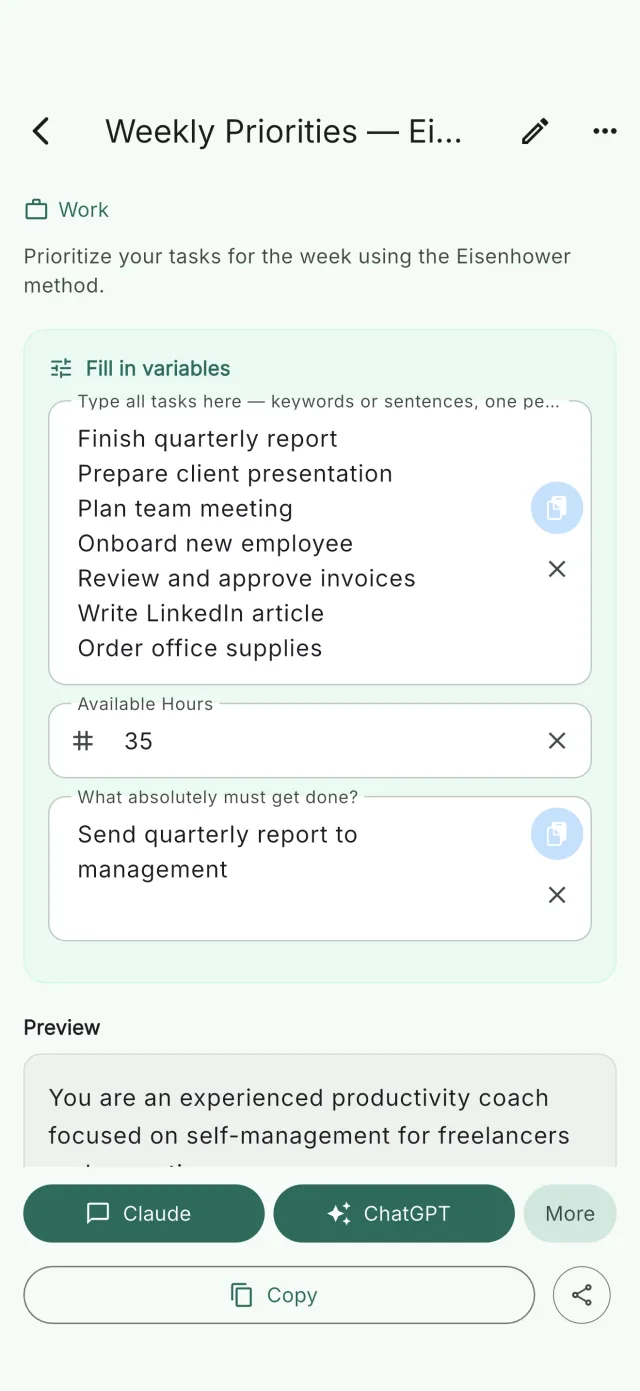
The bracket-overwrite workflow fails quietly: you forget one [PLACEHOLDER], send it, and get nonsense back. When your template becomes a form (one input field per variable, dropdowns for the fixed choices), forgetting a slot becomes impossible, and filling out a five-variable prompt takes seconds on a phone.
That's exactly how Prompt Organiser works: it parses {{variables}} in your saved prompts and auto-generates the form, including real dropdowns for select types, then sends the finished prompt to ChatGPT, Claude or Perplexity in one tap. Free for your first 10 prompts, on the App Store and Google Play.
Variables are step two of a good prompt workflow, though. Step one is having your prompts findable in the first place. That's covered in how to organize AI prompts and in the practical guide to saving and reusing ChatGPT prompts.