How to Organize AI Prompts: A System That Scales

If you use AI every day, you've probably built up dozens of prompts that almost work, buried in chat history, sticky notes, and a prompts.txt you can never find. Writing prompts is the easy part. Finding the good one again next Tuesday, when you need it in thirty seconds, is not.
I built Prompt Organiser because my own prompts were scattered across four apps and three chat histories, so this is the system I actually use, and it works in any tool: a notes app, a spreadsheet, or a dedicated prompt app.
Why do AI prompts get so messy?
Because chat tools are built for conversations, not for reuse. ChatGPT, Claude and Perplexity all bury your best prompt inside a thread you'll never scroll back to. The moment you catch yourself re-typing a prompt from memory, you've outgrown chat history as a storage system. Here's how to save and reuse ChatGPT prompts instead.
Which categories should you use?
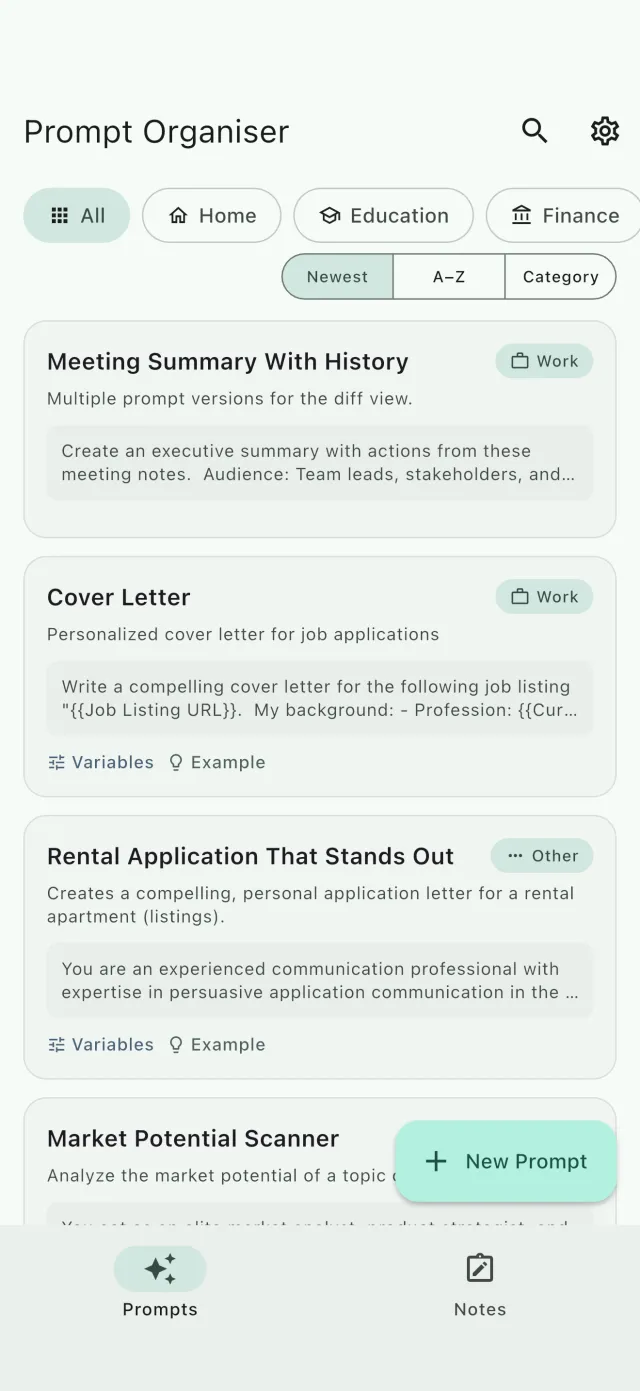
Deep folder trees feel organised but slow you down. Sort each prompt by what you use it for, not by which AI it runs on. A starting taxonomy that covers most people:
- Work — emails, summaries, meeting prep
- Writing — drafts, rewrites, tone changes
- Code — reviews, refactoring, error explanations
- Research — comparisons, source-checking, explainers
- Everyday — travel, recipes, gift ideas
Five to seven categories in a flat list beat five levels of nested folders, because a category only has to narrow things down, not pinpoint them. The pinpointing is search's job: if it covers the prompt text and not just the title, any word you still remember from inside a prompt takes you straight to it. If a category collects more than ~20 prompts, split it. Not before.
How do you name prompts so you find them again?
Name the job, not the wording: "Code review, strict" beats "You are an experienced software engineer…". A good test: could you pick the right prompt from a list of fifty by the name alone? Verb-first names ("Summarize meeting notes", "Rewrite in plain English") pass that test almost automatically.
Turn one-off prompts into templates
The prompt you wrote for one email is wasted if you rewrite it next week. Replace the specifics with variables:
Write a
{{Tone}}email to{{Recipient}}about{{Topic}}.
Now the same prompt works for every email: you fill in the blanks. The guide to prompt templates with variables walks through all five variable types with examples.
Keep the response next to the prompt
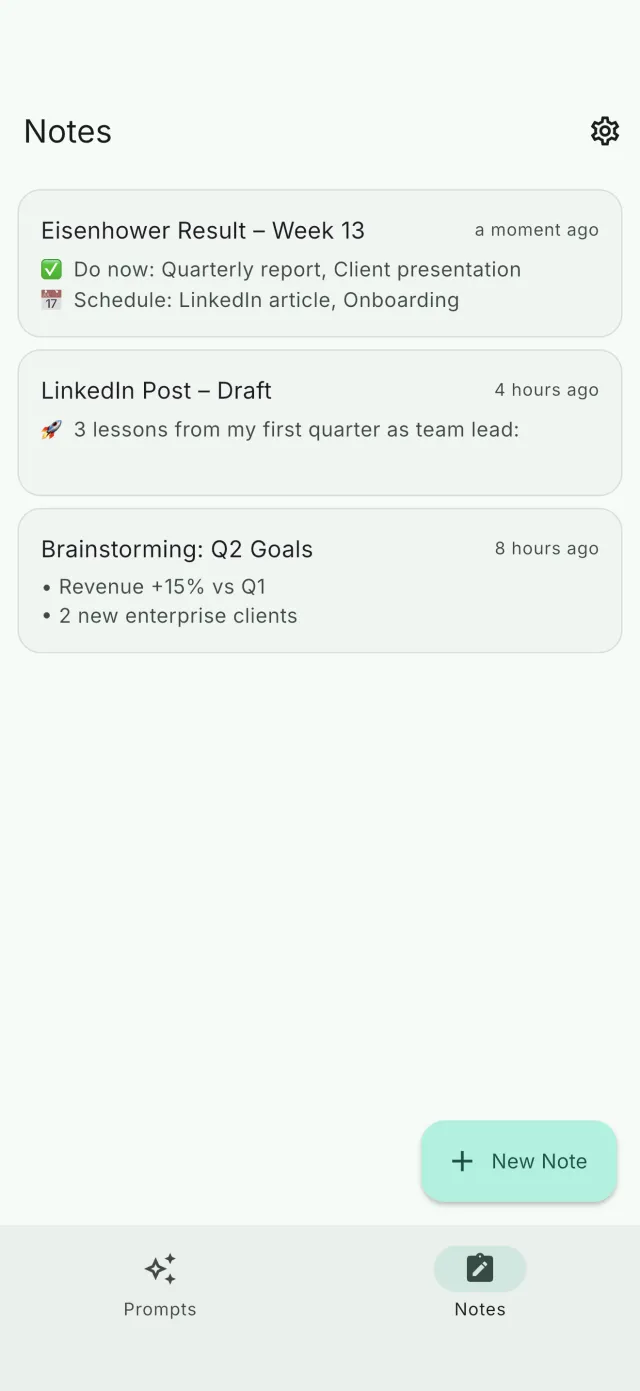
A prompt is only half the story. Save the best AI response alongside it, as a linked note, so you remember why this prompt was worth keeping and what "good" output looks like. Six months later, that example is the difference between reusing a prompt confidently and rewriting it from scratch.
How do you keep versions under control?
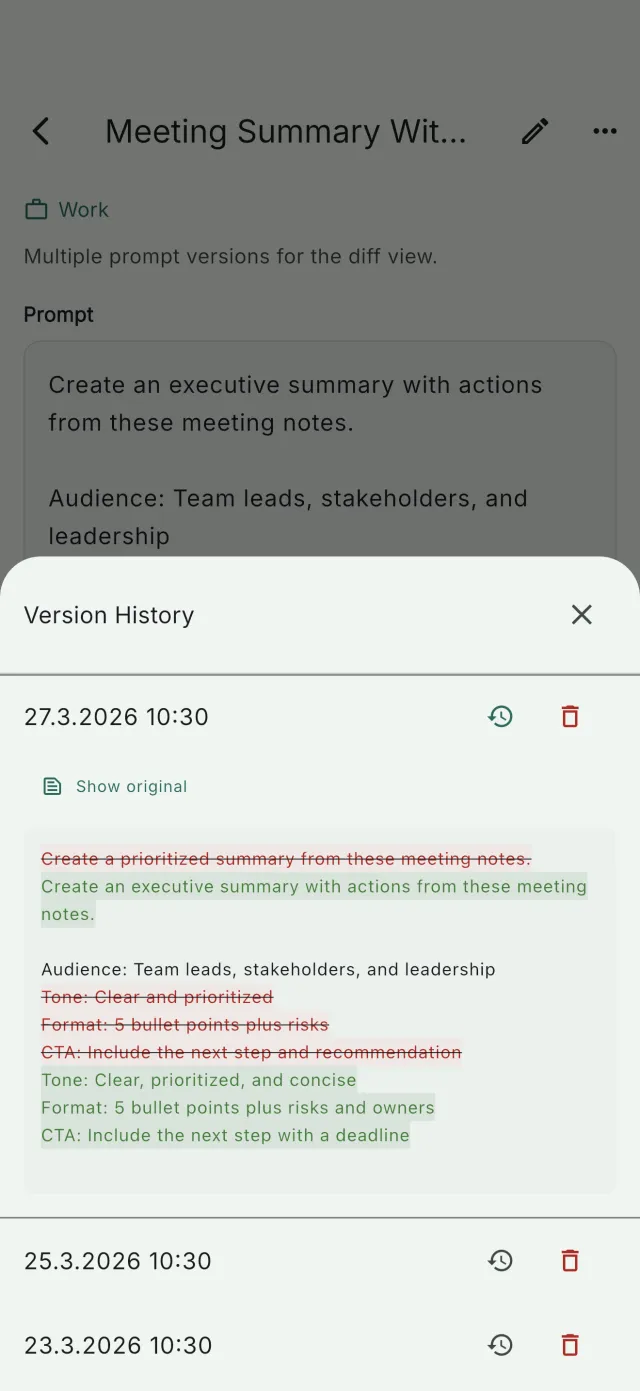
Good prompts evolve. The mistake is overwriting v1 with v2 and losing what worked. Version history is enough: keep the old wording next to the new one, so when an "improvement" makes results worse (it happens more often than you'd think), rolling back takes one tap instead of an archaeology session.
A prompt organization system in 15 minutes
- Collect your ten best prompts from chat history and notes, just the ten you actually reuse.
- Give each a verb-first name and one category.
- Replace the specifics in your top three with
{{variables}}. - Save one great example response next to each.
- Delete nothing else yet. Organize the winners first, the archive can wait.
Where your library lives matters too, especially if prompts contain client names or unreleased ideas. The best way to store prompts covers that.
Prompt Organiser ships with this system already built in: categories, version history, linked notes and one-tap sending to ChatGPT, Claude or Perplexity. Your first 10 prompts are free, on the App Store and Google Play.